

In this tutorial, you will learn how to:
• Add a Card
• Use Apple Pay
Add a Card
1. From the Clock screen, press the Digital Crown/Home button. Scroll to and select the  Wallet app.
2. Select Add Card, then select the desired option. Follow the prompts to add your desired card to Apple Wallet.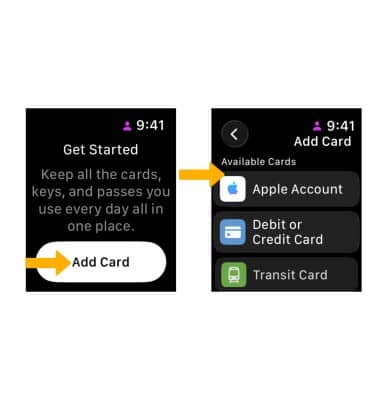
Use Apple Pay
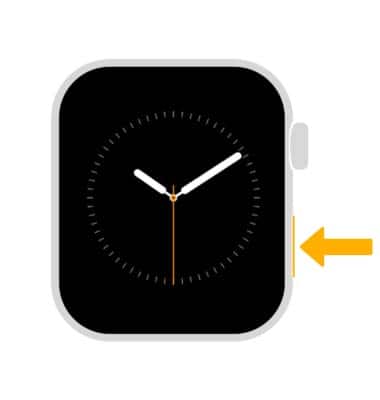
1. Quickly open the Wallet app by double-pressing the Side button.
Note: You can use Apple Pay anywhere you see the  Tap to Pay icon or
  Apple Pay icon.
2. Hold your Watch up to the contactless payment terminal.